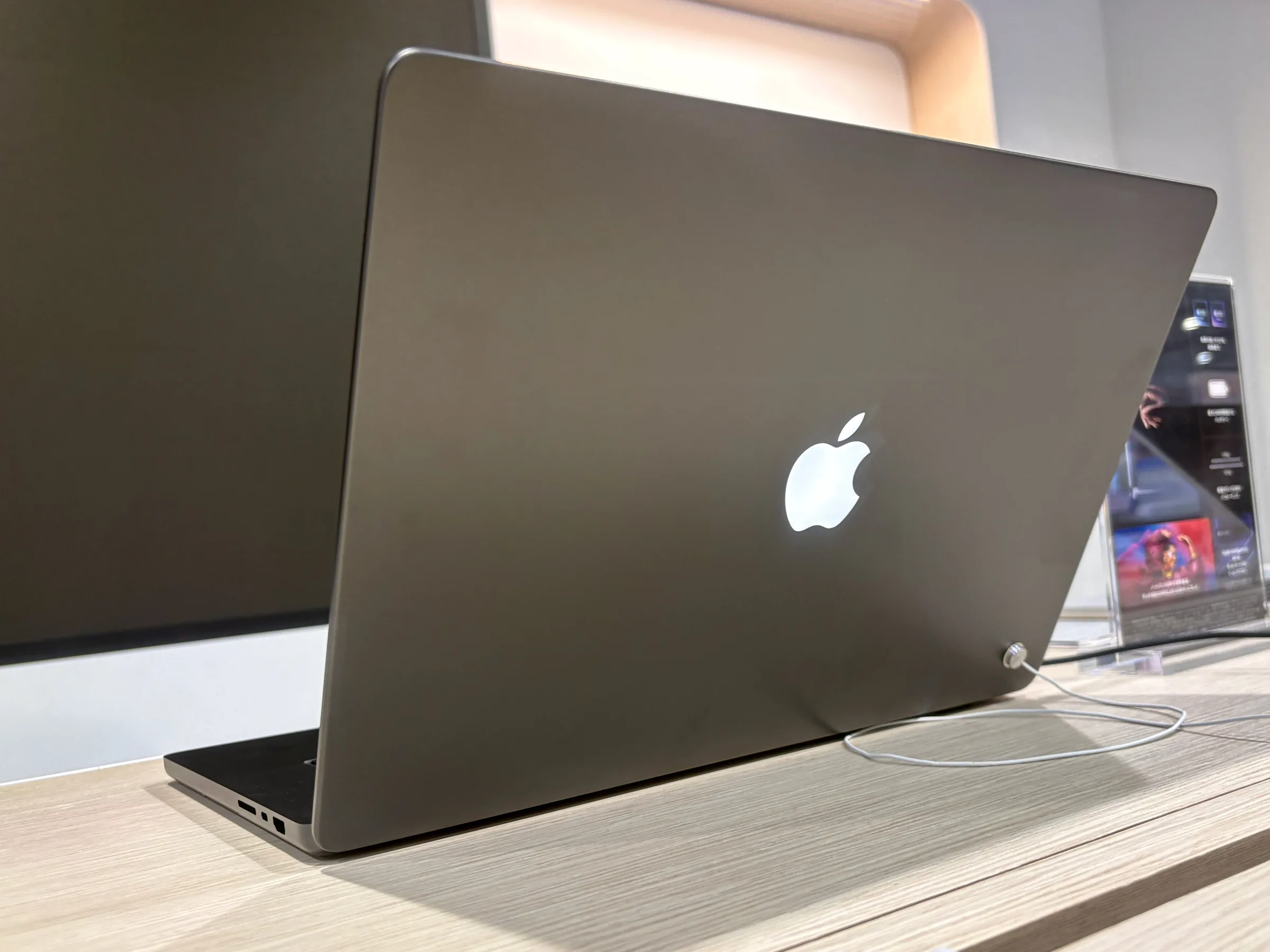
The glowing Apple logo is back. It returned on the new MacBook Pro with PROLED XDR Display, the touchscreen models that reached their first owners on Friday, November 6. Apple published a support document on November 5 that explains how the logo works. It also reveals something owners did not expect. There is no switch in Settings. The only way to turn the glow off is a Terminal command.
That matters if you just bought one and work in dark rooms. It also matters if your search history already says sell my MacBook Toronto. A returning feature makes the new lid easy to spot, and it changes how buyers read the older Pro on your desk. This guide covers both.
Picture a late train home. You open your new Pro to finish one email. The screen lights up, and so does the back of the lid, bright enough for the person across the aisle to notice. For some owners that glow is pure nostalgia. For others it is a small spotlight they never asked for.
Either way, you should know exactly how it behaves before you decide to keep it, kill it, or sell the machine it replaced.
A decade later, the lid lights up again
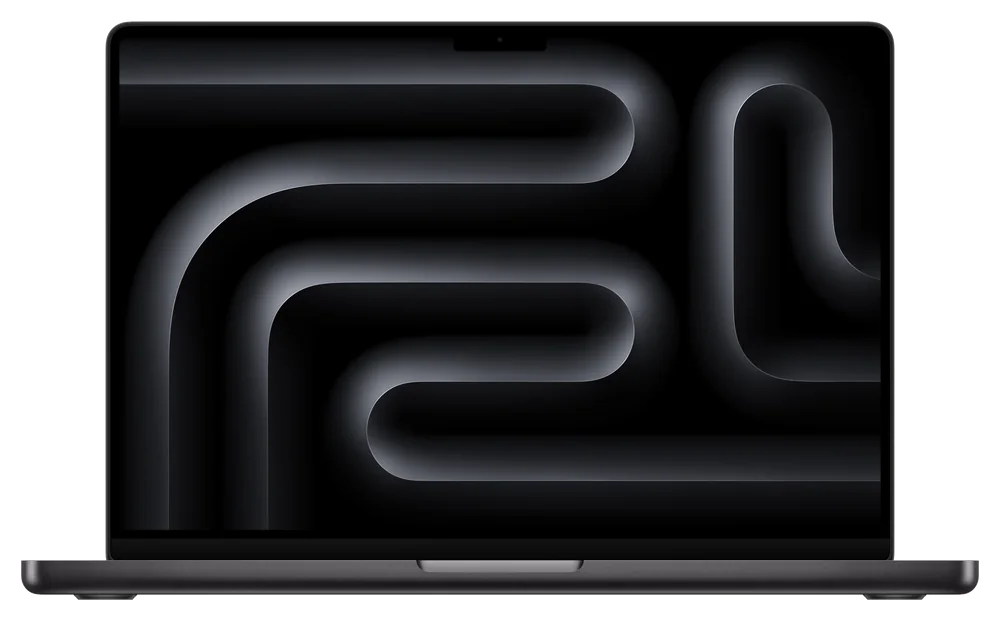
The illuminated logo was a MacBook signature for years. Apple removed it in the 2016 redesign, and the lid went to a polished metal mark instead. Reports from 9to5Mac and TechTimes both note that the glow has now returned after about a decade away.
It did not return to every model. According to TechTimes, the illuminated logo is exclusive to the MacBook Pro with PROLED XDR Display for now. The standard models keep the plain metal mark. That exclusivity is the point. The glowing lid works like a badge for the top model.
MacRumors made the same point in its hands on report from November 6. The site wrote that Apple brought back the glowing logo for the PROLED MacBook Pro, so everyone around you will know you have the new OLED model. That is a direct quote of the effect, if not the intent. The logo tells the room which generation you bought.
The new logo is not really a light. It is a label, and it tells every buyer in the room which MacBook is newest.
Owners of the previous Pro should read that clearly. Your machine did not get slower this week. Its lid just stopped being the one that signals current. Resale buyers notice signals like that, often before they read a single spec.
The detail everyone misses
The PROLED models run the same M5 Pro and M5 Max chips as the mini LED models, according to the MacRumors review roundup from November 5. Performance is similar. The glow marks a display upgrade, not a speed upgrade.
How the glow actually works, in plain terms
Apple's own support document is specific, and it is worth reading closely. The logo behind the built in display is illuminated whenever the Mac is awake. It is not a separate lamp with its own battery or switch.
Brightness is automatic. Apple says the logo dims or brightens based on two inputs. The first is the brightness level of the built in screen. The second is the lighting detected by the ambient light sensor. For all screen brightness levels, the logo will be dimmer in a dim room and brighter in a bright room.
TechTimes reported two deeper details from Apple's documentation. The logo uses 25kHz PWM, and each device is calibrated individually. A system component called CoreBrightness manages the relationship between screen brightness and logo brightness. Those details explain why the logo tracks the screen so smoothly. It is part of the display system, not a decoration bolted onto it.
| Question | What Apple says |
|---|---|
| When does it light? | Whenever the Mac is awake |
| What controls the brightness? | Screen brightness and the ambient light sensor |
| Is there a Settings toggle? | No. Terminal is the documented method |
| Who does the setting affect? | Every user account on the Mac, plus macOS Recovery |
| What turns it back on? | A delete command in Terminal, or reinstalling macOS |
Stuff magazine published its PROLED review on November 5. It listed the panel at up to 2,000 nits of peak brightness, with a 10,000,000 to 1 contrast ratio and colour coverage for both P3 and Adobe RGB. MacRumors reported the same peak figure in its review roundup. A brighter display means a brighter logo behind it. The two rise together, by design.
That link creates the one real annoyance. Dim the screen in a dark room and the logo dims with it, which helps. But you cannot make the logo fully dark while the screen stays bright. Not through any normal setting, anyway.
Turn it off in about a minute, no Settings required
Apple's support document gives one method, and it takes about a minute. You need an administrator account. You do not need to restart the Mac afterwards.
Terminal lives in the Utilities folder inside Applications. You can also find it with Spotlight search.
Type or paste this line, then press Return: sudo defaults write com.apple.CoreBrightness LEBacklightMode -int 0
Terminal asks for your administrator password. It shows no characters while you type. That is normal. Press Return again.
Apple says the illumination turns off immediately. Ask someone behind you, or prop the lid against a dark wall and look.
Bringing the glow back is just as simple. Run this command in Terminal instead: sudo defaults delete com.apple.CoreBrightness LEBacklightMode. Apple also notes that reinstalling macOS turns the illumination back on by itself.
Two cautions are worth knowing. First, the change is device wide. It applies to all macOS user accounts on the machine, and it also applies when starting up from macOS Recovery. Second, there is no supported middle setting. You get automatic brightness, or you get dark. Reviews from Macworld and AppleInsider both confirmed that Apple offers no slider and no tick box.
Money tip
Selling this model later? Reinstalling macOS restores the glow to its factory default. Your buyer gets the full light show, and you never need to explain a hidden Terminal setting.
Sources: Apple Support, About the illuminated Apple logo on MacBook Pro with PROLED XDR Display, November 5, 2026, 9to5Mac, November 5, 2026, MacRumors review roundup, November 5, 2026, MacRumors hands on, November 6, 2026, Macworld, November 6, 2026
Sell my MacBook Toronto? The glow does not set your price, timing does
Here is the question owners of the current Pro are really asking. Does a glowing lid on the new model cut what the old one pays? The honest answer is simple. It pressures timing, not the price book itself.
Your M5 Pro still carries current generation silicon. The PROLED models use those same M5 Pro and M5 Max chips. What changed is the display, the touch layer, and that lid. So the selling story for an M5 Pro is strong right now, while the new models are still fresh news. It gets harder to tell with every month the PROLED machines sit in store windows.
Those figures come from the live price book at JustSell. The anchor is a MacBook Pro 14 inch (M5) with the M5 Pro chip, 24GB of memory and 512GB of storage. It pays $1,910 in Like New condition, up to $7,520 for the highest configuration. The 16 inch anchor, with 24GB and 1TB, pays $2,510 in Like New condition, up to $7,610. You can see the full configuration list on the MacBook Pro 14 inch (M5) page.
| Condition | 14 inch (M5) anchor price |
|---|---|
| Sealed | $1,810 |
| Like New | $1,910 |
| Good | $1,720 |
| Fair | $1,490 |
Read the pattern in that table. Condition moves the anchor price by hundreds of dollars. A glowing logo on somebody else's new laptop moves it by zero. If you plan to sell your MacBook in Ontario this winter, condition and timing are the levers you actually control.
Our earlier launch coverage made the same point from the other side. Read what the M6 launch means for your MacBook value for the full launch week picture. The short version holds. A current model sells best while it still reads as current.
Getting the machine to JustSell does not need a trip across the city either. If you are within the service area, JustSell offers free pickup from your doorstep, and you can check whether your city is covered in about ten seconds. Outside that area, shipping is free anywhere in Canada.
The bottom line
The glowing logo is a real feature with a hidden off switch. Apple documents one Terminal command to kill it, and one to bring it back. For PROLED owners, that is a one minute fix. For M5 Pro owners, the useful move is different. Your chip is still current, your price is still strong, and the window is open now.
Frequently asked questions
Does every new MacBook Pro have a glowing logo?
No. Reports from TechTimes say the illuminated logo is exclusive to the MacBook Pro with PROLED XDR Display for now. Other current MacBook Pro models keep the plain metal mark on the lid.
Is there a Settings toggle for the glowing logo?
No. Apple's support document, published November 5, 2026, gives Terminal as the method. Macworld and AppleInsider both confirmed there is no tick box or slider in System Settings for the logo.
Will turning the logo off hurt my resale value?
No. The setting is reversible with one Terminal command, and reinstalling macOS restores the glow automatically. People who search sell my MacBook Toronto ask this often. Buyers pay for chip, storage, condition and battery. A software setting you can undo in a minute does not change the offer at JustSell.
How much is a MacBook Pro 14 inch (M5) worth in Canada?
The anchor configuration, M5 Pro with 24GB of memory and 512GB of storage, pays $1,810 Sealed, $1,910 Like New, $1,720 Good and $1,490 Fair at JustSell. The model's full range runs from that anchor up to $7,520 for the top configuration.
What should I do before I sell my MacBook Pro?
Back up your files first. Sign out of iCloud, turn off Find My Mac, then erase the drive. Bring the original charger if you have it, because quotes without one are $50 lower for this model. You can meet JustSell at a GO Transit station if you want to sell your MacBook for cash in the GTA, and payment is same day by cash or Interac e-Transfer.
One minute for the glow, thirty seconds for your price
If the glow bothers you, kill it and keep the machine. If the new display is the one you want, price the Pro on your desk while its chip is still current. The quote at JustSell takes about 30 seconds, and the price appears before you share any contact details. Sellers looking to sell a MacBook near me often start there, just to know the number.
Get your MacBook offer and decide with the real figure in front of you.